Sideloading TiviMate on the Amazon Fire Device – A Beginner’s Guide
Table of Contents
- Introduction
- Why Choose TiviMate Pro?
- TiviMate Premium Features
- TiviMate Key Features
- Is TiviMate IPTV Safe?
- Installing TiviMate on FireStick
- Getting Started
- Purchasing TiviMate Premium
- Disclaimer
Introduction
Welcome to our blog! This guide walks you through sideloading TiviMate on your Amazon Fire TV device.
By the end, you’ll have installed the TiviMate APK and be ready to watch IPTV on your FireStick.
Why Choose TiviMate Pro?
TiviMate IPTV Player is an IPTV streaming app for Android TV devices. With TiviMate, you can add playlists from your IPTV providers.
Supported playlists:
- Xtreme codes
- M3U playlists
- Stalker portals
Interface: Seven sections — Search, TV, Movies, TV Shows, DVR, Favorites, Settings.
Pricing: Free version available; premium unlocks advanced features.
TiviMate IPTV Player Premium
Premium subscription features:
- Multiple playlists
- Manual channel sorting
- DVR recording
- Auto Frame Rate support
- Multiview
- Favorite channel management
- UI customization
- Advanced search
- Catch-up for past broadcasts
Pricing: $4.99/year or $19.99 lifetime.
TiviMate Key Features
- UI Customization
- Recording (DVR)
- Parental Controls
- Multiview
- Search
- Favorite Channels
- Multiple Playlists
- Catch-up
Is TiviMate IPTV Safe?

TiviMate is safe to sideload. It does not include channels by default, and it is available on Google Play.
Always purchase IPTV from verified providers.
Installing TiviMate on FireStick
TiviMate isn’t in the Amazon App Store, so we use Downloader to sideload it.
Steps to Install TiviMate:
Step 1: Launch Downloader and select the input box under URL/CODE.
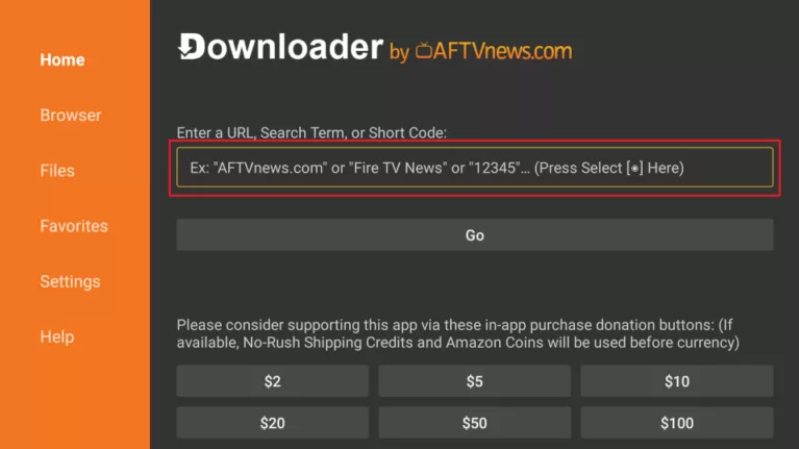
Step 2: Enter the TiviMate APK URL and click Go.
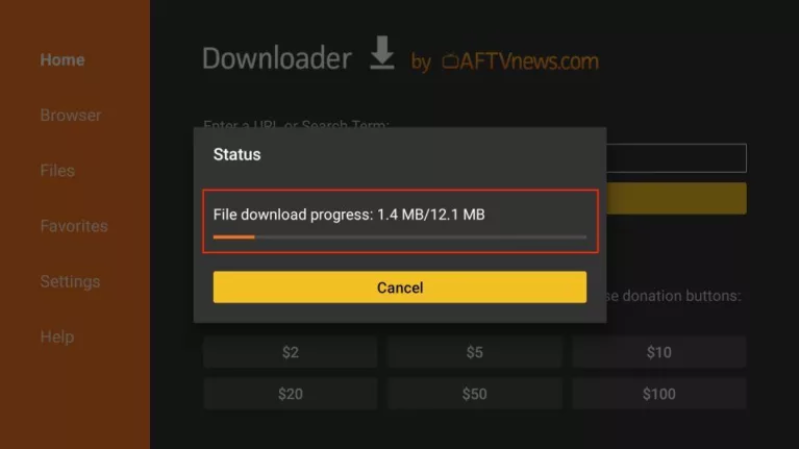
Step 3: Wait for the APK to download.
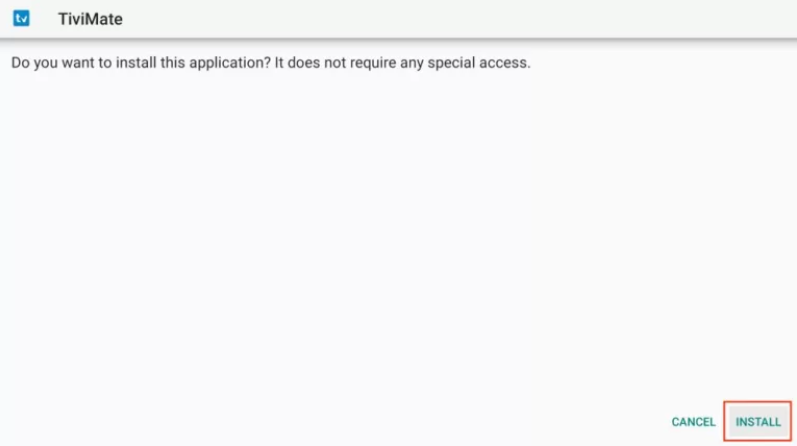
Step 4: Click Install when prompted.
Step 5: Once installed, click Done.
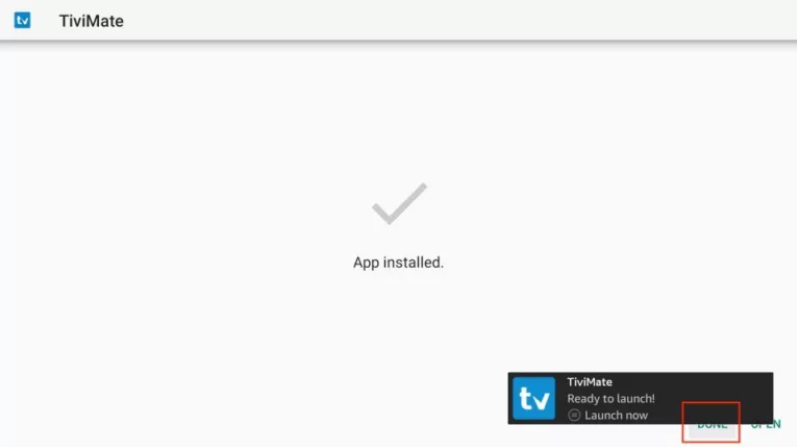
Step 6: Delete the APK from FireStick to save space.
Step 7: Confirm deletion.
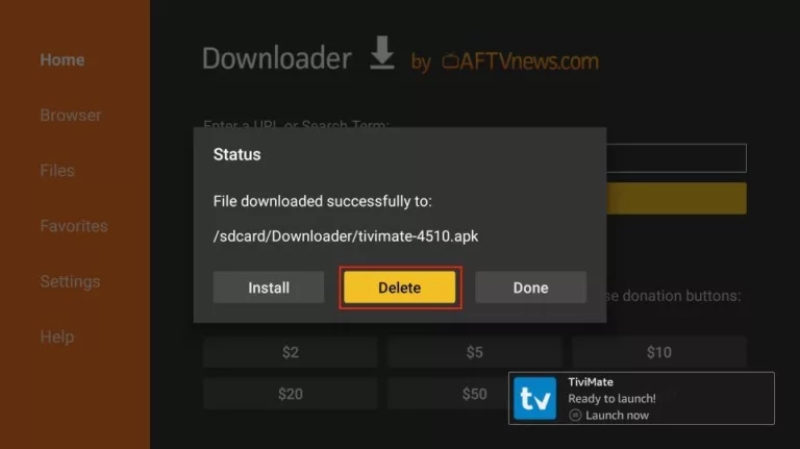
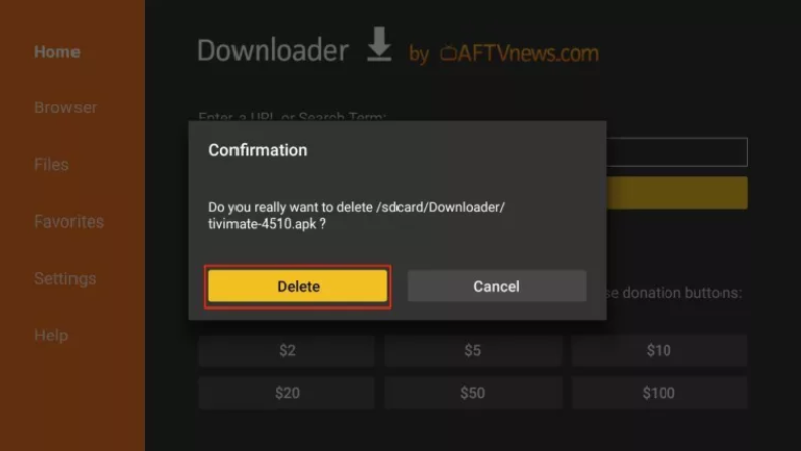
TiviMate is now installed!
Getting Started with TiviMate
Add TiviMate to your home screen.
You need an IPTV subscription to load channels via M3U, Xtream Codes, or Stalker portals.
Step 1: Open TiviMate.
Step 2: Add playlist (M3U, Xtream, or Stalker).
Step 3: Add EPG URL if provided by your IPTV service.
Purchasing TiviMate Premium
Premium unlock:
- Open TiviMate Settings → Unlock Premium
- Select plan and complete purchase via TiviMate Companion app on Android
- Sync subscription to FireStick

Congratulations! TiviMate IPTV Player is fully installed and ready to use.
Disclaimer
This guide is for educational purposes only. T34M-SK0RPZ does not host, sell, or distribute IPTV services or content.
Ensure your use complies with local laws.